
FREE CLASS
How to use Artificial Intelligence to showcase architectural projects with a high level of realism.
What will you learn in this class?
How Artificial Intelligences work and why you should pay attention to them.
How to use AI to render projects from SketchUp screenshots.
The best AIs on the market for rendering and architecture.
The practical plan to implement AI in your workflow and boost your efficiency and profitability.
Click to watch the video
+9,000 students
7 day guarantee
365 days of access
Exclusive support

Ignore this opportunity if you're not ready to:
Dramatically improve the quality of your images and animations...
Become highly productive...
Increase the profit margin of your projects...
Stay ahead of the competition by mastering new technologies...
Having more free time to do what you love...
Reduce your reliance on powerful computers...
Become antifragile in a constantly changing market...
Artificial Intelligence is an INEVITABLE technology




Google, Microsoft, Apple, Amazon... Everyone already realizes that mastering artificial intelligence today is like investing in the internet 20 years ago.
A detailed plan to implement Artificial Intelligence in your architecture and rendering work
Create high-impact images and animations with realism, speed, and no hassle.
This is the foundation of the CMA Method – Creation, Modification, and Advancement. CMA organizes a vast universe of Artificial Intelligences to give you clarity and direction, making your creative process simpler and far more powerful.
PHASE 01 - CREATION
PHASE 02 - MODIFICATION
PHASE 03 - ENHANCEMENT
PHASE 01 - CREATION
PHASE 02 - MODIFICATION
PHASE 03 - ENHANCEMENT
Now you can reach a level of quality and realism you never imagined possible.
“
See the CMA Method in action:
Render SketchUp screenshots

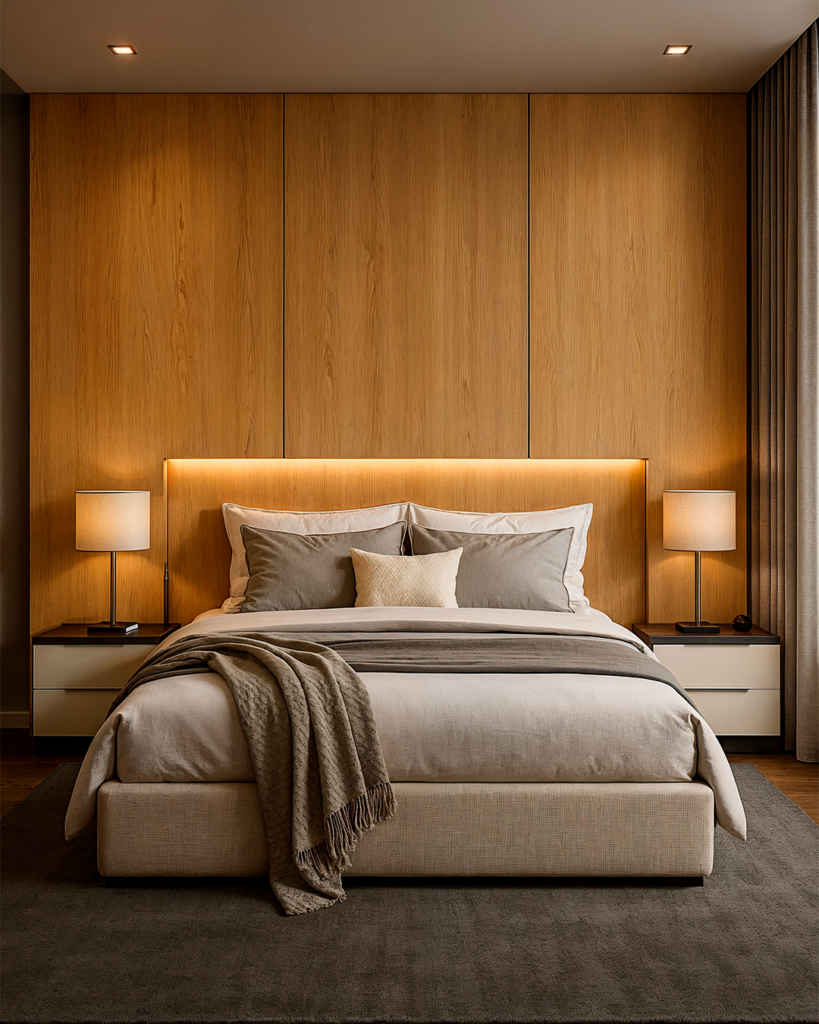


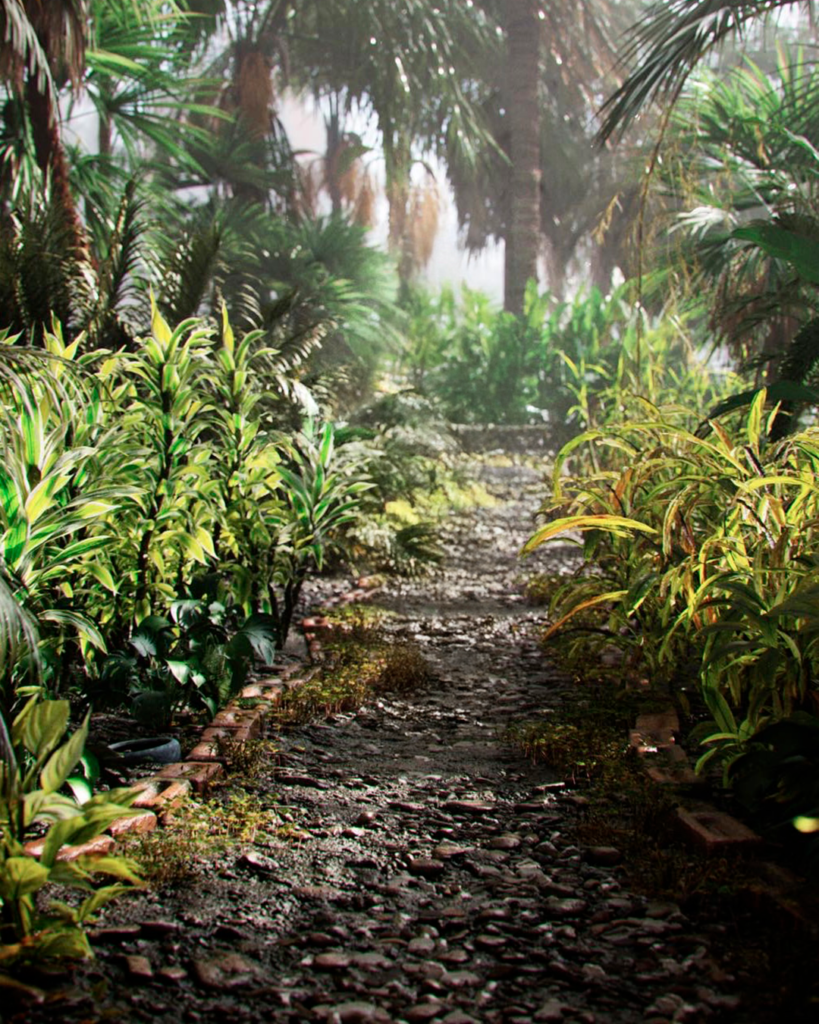

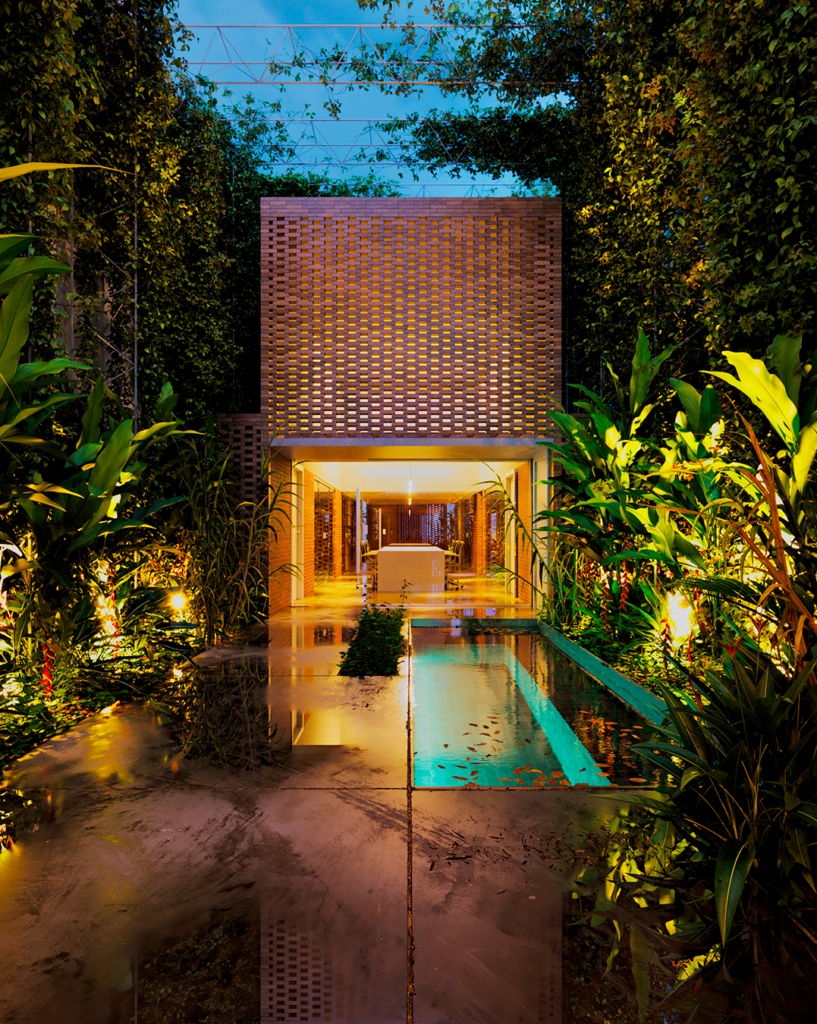


Make changes in minutes
With AI, you make changes in minutes, stress-free and with time to spare to relax.
Render views from floor plans


Reach a level of realism never seen before
Create high-impact animations in minutes
No more relying on super expensive hardware or dealing with software crashes that leave you hanging.


And that's just the tip of the iceberg...
- Create variations in mood and lighting...
- Inserting people in a realistic way...
- Mixing the use of 3D with AI...
- Creating moodboards for interior design projects...
- Create variations of styles and combinations...
Who is OF3D IA for?
Those who understand the game are already creating ultra-realistic images and animations, turning weeks of work into a matter of hours, with time left over to focus on what matters – better projects, bigger clients and more freedom.
It’s not smart to work in architecture today and ignore the technology that has already become standard in the world’s largest offices and studios.
Incorporating AI into your processes will give you more creativity, flexibility and speed to bring your ideas to life – and get ahead of those who still rely on traditional methods.
If you want to stand out, save time and gain ground in any market, mastering AI is no longer optional.It’s now a matter of survival.
You'll receive the best AI content on the market:
AI - The theory
- Getting to know the terrain
- The Counterfeiter and the Detective
A simple analogy to understand how one of the most famous models of Generative Artificial Intelligence works
- AI and Noise
- AI and its applications
- The CMA Method
The CMA Method in practice
- Midjourney
- Creating ultra-realistic images from text and other images
- Photoshop Al
- Image modification and artifact correction
- Modifying image aspect ratios through generative expansion
- Magnificent
- Upscale and Enhancement of images
- Using Style Transfer to create style variations
- Krea
- Upscale and Enhancement of images
- Workflow for entering people using Krea
- GPT Chat
- Rendering Sketchup prints
- Rendering images from floor plans
- Creating and modifying photorealistic images
- Creation and revision of prompts, texts and documents
- Creating customized GPTs
- Immersity AI
- Creating animations from images (Z-Depth and Parallax)
- Runway
- Creating animations from text and images
- Using motion brushes for customized animations
- Luma
- Creating animations from text and images
- Use of frames (start and end) to control animations
- Kling
- Creating animations from images
- Very realistic animation of people and animals
- Pika AI
- Creating and modifying animations from images
- Promise AI
- Rendering Sketchup prints
- Creating style variations from a reference image
- Change the lighting and mood of the images
- Redraw
- Rendering Sketchup prints
- Creating concept images
- Rendering sketches and drafts
- Upscaling
- Topaz Gigapixel
- Upscale images and textures with maximum fidelity
- Batch processing function
- Topaz Video
- Upscale videos and animations with maximum fidelity
- Workflow to render animations 32x faster (Frame Interpolation)
- Tripo AI
- Creating 3D models from images and texts
- Stable Diffusion - Dream Studio
- Creation, Modification and Enhancement with Stable Diffusion on a web platform
- Stable Diffusion - Automatic 1111
- Automatic 1111 installation
- Best checkpoints for creating architectural images
- Use of LORAs, Embeddings, Hypernetworks and ControlNets
- Image modification (Inpaint and Outpaint)
- Image enhancement (Upscale and Enhancement)
- Stable Diffusion - Comfy UI
- Comfy UI installation
- Workflows for creating images from text
- Use of LORAs, Embeddings and ControlNets
- Workflows for modifying images (Inpaint and Outpaint)
- Workflows for image enhancement (Upscale and Enhancement)
Case studies
- AI + 3D
How to use Artificial Intelligence + 3D to achieve maximum creative freedom and realism in your architecture and interior design projects
- House Facade
The complete CMA method applied to house façades.
- Product rendering
The complete CMA method applied to product images.
- Tower facade
The Complete CMA Method applied to Tower Facades.
- Suite
The complete CMA method applied to images of suites and bedrooms.
- Living
The complete CMA Method applied to images of living rooms.
- Conceptual Images
The complete CMA Method applied to artistic and conceptual images.
And as a bonus, you'll also receive it:
Backed by the best technical support on the market
Access to the OF3D Academy Exclusive Community
In the Student Community, you’ll find a collective intelligence environment, millimetrically designed for you to interact, exchange experiences and meet other students and professionals who are on the same path as you.
It’s the ideal place to receive feedback on your creations, learn about new workflows, ask for tips from more experienced professionals and connect with those who are playing the AI game at a high level.
Who is
Ander Alencar?
He is the founder and CEO of OF3D Creative (formerly Oficina 3D Studio), one of the largest architectural rendering studios in the world.
He is also the mastermind behind OF3D Academy, an archviz school with +9,000 students in +110 countries around the world.
He is a renowned and internationally recognized 3D artist, with work for major architecture and design firms such as Zaha Hadid, Peninfarina, Gafisa, Porsche Design and others.
Some of his work has won international awards, such as:

EVERMOTION CHALLENGE 2019
1st prize -
Homeless

AESTHETICA SHORT FILM FESTIVAL 2020
Official Selection -
The Last Flight

LA SHORTS INTERNATIONAL FILM FESTIVAL
Official Selection -
The Last Flight

CGARCHITECT ARCHITECTURAL 3D AWARDS 2020
Best animated short finalist for
The Last Flight

Architizer Vision Awards 2023
Special Mention
Artistic Visualization
Architizer Vision Awards 2023
Winner Architectural Visualizer Of The Year
FAQ – Frequently Asked Questions
Does it work for non-AI or non-Technology people?
Does it work for people who don't work in architecture or 3D?
Can I learn even without experience?
Do I need a powerful computer to apply what I learn?
Do I need to pay separately for the AI tools taught in the course?
How quickly do I start seeing results with the CMA Method?
How long will I have access to the training?
You’ll have access to all the lessons for 1 year. You can watch and re-watch as many times as you like, at your own pace. And at the end of the 1-year period, you can renew your access if you wish (just call our support team).
How will I access the classes?
After completing your purchase, you’ll receive a login and password via email. You can then immediately access all content on our exclusive, highly intuitive platform.
Is the course up to date? Will I have access to updates?
How does technical support work?
What if I don't like the course, is it guaranteed?
Yes, you do. You have 7 days to test all OF3D IA content. If you don’t like it, just ask for a refund and we’ll return your investment with no questions asked.

+ 9 thousand students
Fill in your details to speak with a specialist
In accordance with current legislation, our company is prepared to process your data in compliance with the General Data Protection Act. If you no longer wish to receive emails from us, you can unsubscribe from our mailing list at any time.